> For the complete documentation index, see [llms.txt](https://docs.cortecs.ai/llms.txt). Markdown versions of documentation pages are available by appending `.md` to page URLs; this page is available as [Markdown](https://docs.cortecs.ai/web-console/notifications.md).
# Notifications
Configure project notifications and choose who should receive them
Notifications help you keep track of important changes in your project. You can configure when a notification is triggered and choose which project contacts receive it by email.
{% hint style="warning" %}
Notifications are currently a work in progress. Available notification types, settings, and behavior may change over time.
{% endhint %}
***
## Who can manage notifications
Project administrators can view, configure, enable, and disable notification rules. Notification settings apply separately to each project.
***
## Low balance alert
The low balance alert notifies selected recipients when the available project balance falls below a specified amount. This can help you respond before a low balance affects your project.
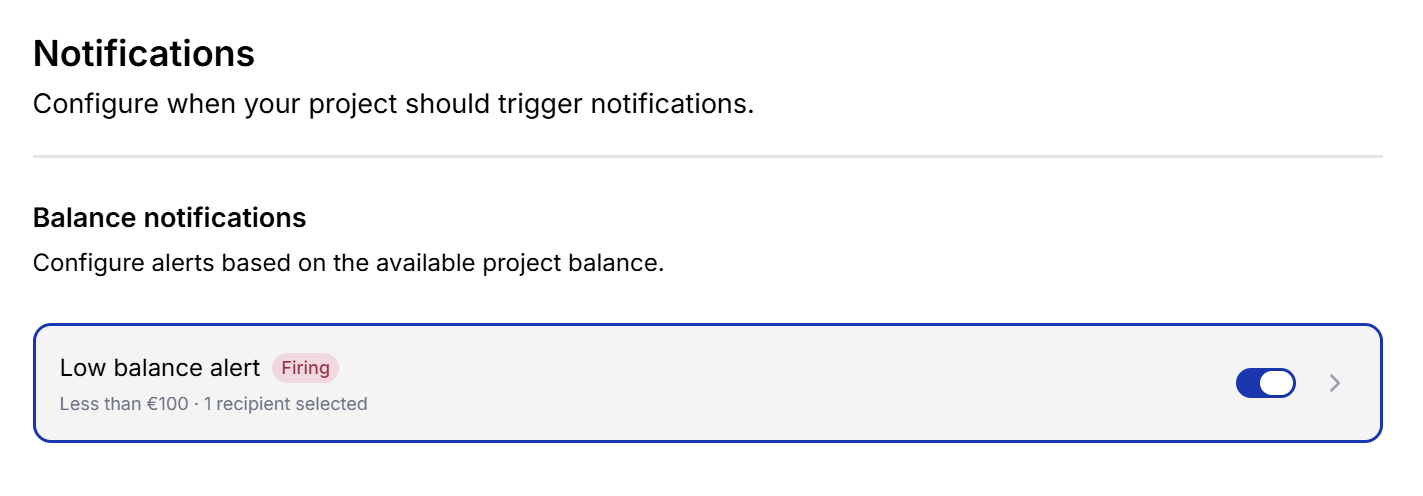
View and manage project notification rules from the Notifications page.
### Configure the alert
1. Open [**Console > Notifications**](https://cortecs.ai/userArea/console?tab=notifications).
2. Select **Low balance alert**.
3. Turn on **Enabled**.
4. Enter the balance threshold in euros.
5. Select one or more recipients.
6. Click **Save**.
Configure the threshold and recipients for the low balance alert.
You can configure:
* **Enabled:** Turn the alert on or off without losing its settings.
* **Threshold amount:** Choose the balance below which the alert is triggered.
* **Recipients:** Choose the project-wide billing address, one or more project members, or both.
Notifications are sent by email. At least one recipient is required before the alert can be enabled, and only project members with an email address can receive notifications.
### Alert status
An enabled alert displays its current status on the Notifications page:
* **Pending:** The alert is waiting for its first evaluation after being enabled or changed.
* **Normal:** The project balance is not below the configured threshold.
* **Firing:** The project balance is below the configured threshold and the notification was sent.
* **Failed:** The notification could not be sent. The alert is checked again automatically and delivery is retried if the balance is still below the threshold. If the balance has recovered, the status returns to **Normal**.
***
{% hint style="info" %}
**More notifications are coming:** We plan to add more notification types in the near future, including model update notifications and budget alerts.
{% endhint %}