> For the complete documentation index, see [llms.txt](https://docs.cortecs.ai/llms.txt). Markdown versions of documentation pages are available by appending `.md` to page URLs; this page is available as [Markdown](https://docs.cortecs.ai/web-console/inference-settings.md).

# Inference Settings

Configure global and team-specific inference behavior

Inference settings control how requests are processed across a project. Project administrators can maintain one global configuration or create different settings for individual teams.

Open [**Console > Inference**](https://cortecs.ai/userArea/console?tab=inference) to view the active configuration.

{% hint style="info" %}
Project administrators can change inference settings. Regular project members can view the settings that apply to their assigned teams.
{% endhint %}

***

## Global settings

The **Default** team's configuration contains the project's global inference settings. These settings apply automatically when a project does not use custom teams and to every team without its own override.

To change the global settings:

1. Under **Configuration scope**, select **Default**.
2. Change the required settings.
3. Click **Save Settings**.

Teams that inherit the global configuration receive the updated settings automatically.

***

## Override settings for a team

Create an override when one team needs different inference behavior:

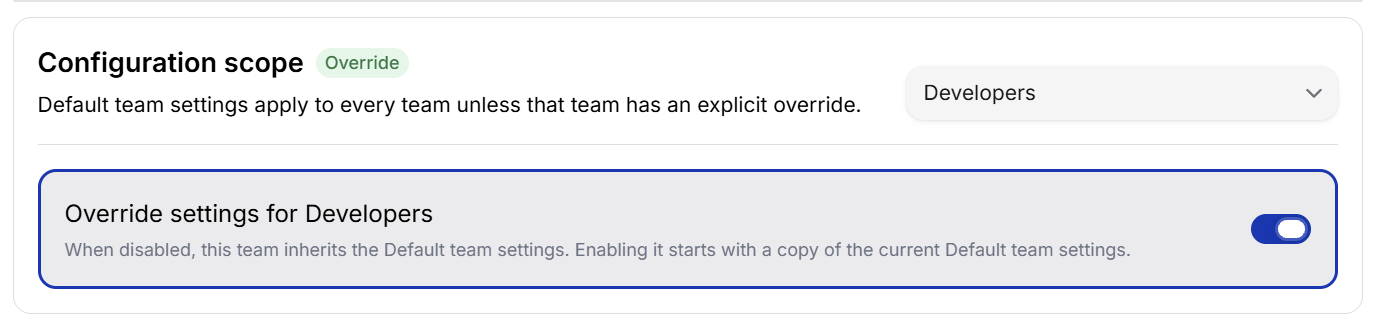
1. Under **Configuration scope**, select the team.
2. Enable **Override settings for ...**.
3. Change the settings for that team.
4. Click **Save Settings**.

When an override is enabled, it starts as a copy of the current Default team settings. You can then change only what the selected team needs.

<figure><img src="https://2211217319-files.gitbook.io/~/files/v0/b/gitbook-x-prod.appspot.com/o/spaces%2FYGsEKyV2Zq4Q8fEJQT40%2Fuploads%2Fgit-blob-fbb9baa2b4518d76a8663bd967cfc96491ba2880%2Fteam-inference-settings.png?alt=media" alt="Inherited inference settings for the Developers team with an override switch" width="575"><figcaption><p>Teams inherit the Default settings until an administrator enables an override.</p></figcaption></figure>

The scope badge shows how the selected configuration works:

| Badge         | Meaning                                            |
| ------------- | -------------------------------------------------- |
| **Global**    | You are viewing the Default team's global settings |
| **Inherited** | The team is reusing the Default team settings      |
| **Override**  | The team has its own settings                      |

To return a team to the global settings, select the team and disable its override. The team's separate configuration is removed, and it inherits future changes made to Default.

For information about creating teams and assigning members, see [Teams](/web-console/teams.md).

***

## Available settings

### General Options

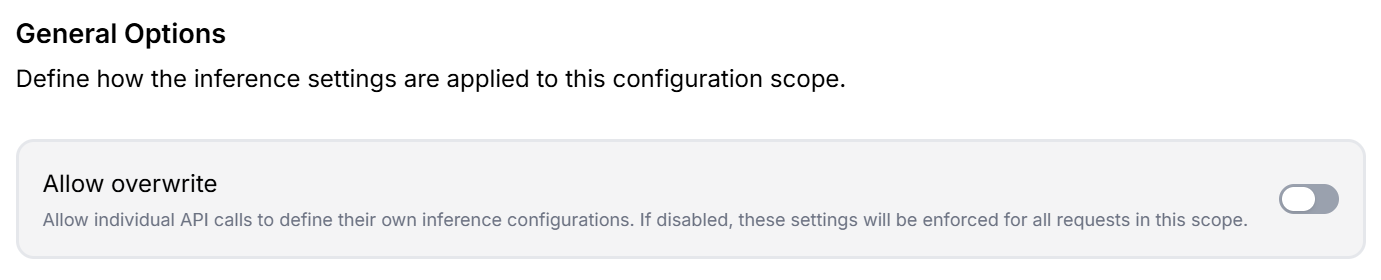
<figure><img src="https://2211217319-files.gitbook.io/~/files/v0/b/gitbook-x-prod.appspot.com/o/spaces%2FYGsEKyV2Zq4Q8fEJQT40%2Fuploads%2Fgit-blob-3552f2d25a51f4edab5c851619400e2d231c8edc%2Finference-general-options.png?alt=media" alt="General Options with the Allow overwrite setting"><figcaption><p>Control whether individual API requests can replace the saved settings for their request.</p></figcaption></figure>

| Setting             | What it does                                                                                                                                                                                                                    | When to use it                                                                                                                                              |
| ------------------- | ------------------------------------------------------------------------------------------------------------------------------------------------------------------------------------------------------------------------------- | ----------------------------------------------------------------------------------------------------------------------------------------------------------- |
| **Allow overwrite** | When enabled, an individual API request can supply its own inference configuration. When disabled, the saved settings for the applicable global or team scope are enforced for every request (individual settings get ignored). | Enable it when applications need flexibility for individual requests. Disable it when administrators need a consistent, centrally controlled configuration. |

### Execution policies

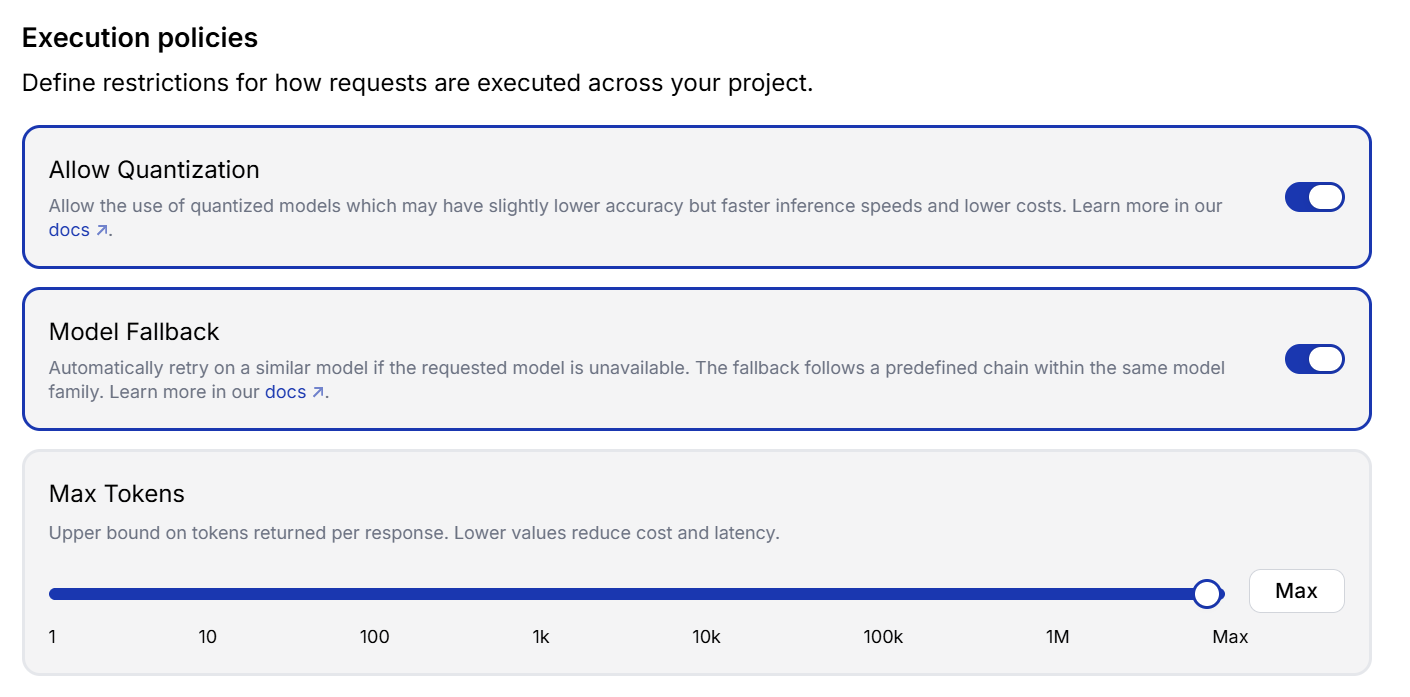
<figure><img src="https://2211217319-files.gitbook.io/~/files/v0/b/gitbook-x-prod.appspot.com/o/spaces%2FYGsEKyV2Zq4Q8fEJQT40%2Fuploads%2Fgit-blob-8b93f35e5ae3220137f745183d4c8a23443e5b51%2Finference-execution-policies.png?alt=media" alt="Execution policies for quantization, model fallback, and maximum tokens"><figcaption><p>Set the execution behavior and response limit for requests.</p></figcaption></figure>

| Setting                | What it does                                                                                                                                                                  | Considerations                                                                                                                                              |
| ---------------------- | ----------------------------------------------------------------------------------------------------------------------------------------------------------------------------- | ----------------------------------------------------------------------------------------------------------------------------------------------------------- |
| **Allow Quantization** | Allows requests to use quantized models. These models can provide faster inference and lower costs by using a more compact representation of the model.                       | Quantization may result in slightly lower accuracy. Disable it when maintaining the highest available model precision is more important than speed or cost. |
| **Model Fallback**     | Automatically retries a request with a similar model if the requested model is unavailable. The replacement follows a predefined fallback chain within the same model family. | Improves availability, but the request may be processed by a different model variant than the one originally requested.                                     |
| **Max Tokens**         | Sets the maximum number of tokens that can be returned in a response. Use the slider to choose a limit or select **Max** to allow the maximum available value.                | Lower limits can reduce response time and cost, but may cut off responses that need more space. A response can still finish before reaching the limit.      |

### Provisioning Strategy

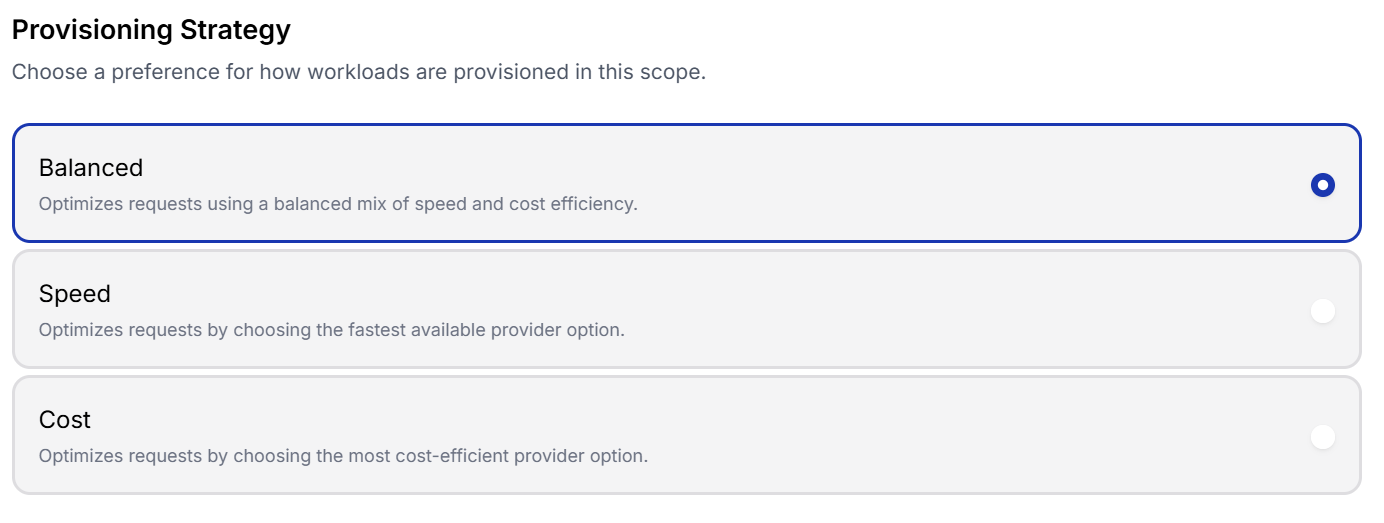
<figure><img src="https://2211217319-files.gitbook.io/~/files/v0/b/gitbook-x-prod.appspot.com/o/spaces%2FYGsEKyV2Zq4Q8fEJQT40%2Fuploads%2Fgit-blob-a3556d4c054fe21c114c8ab5650dbc0b69ec3689%2Finference-provisioning-strategy.png?alt=media" alt="Balanced, Speed, and Cost provisioning strategies"><figcaption><p>Choose whether provider selection should balance priorities or favor speed or cost.</p></figcaption></figure>

| Strategy     | How requests are provisioned                              | Best suited for                                                                  |
| ------------ | --------------------------------------------------------- | -------------------------------------------------------------------------------- |
| **Balanced** | Uses a balanced combination of speed and cost efficiency. | General workloads without a strict speed or cost priority.                       |
| **Speed**    | Chooses the fastest available provider option.            | Interactive and time-sensitive workloads where low latency is the main priority. |
| **Cost**     | Chooses the most cost-efficient provider option.          | High-volume or flexible workloads where controlling cost is the main priority.   |

### Provider Configuration

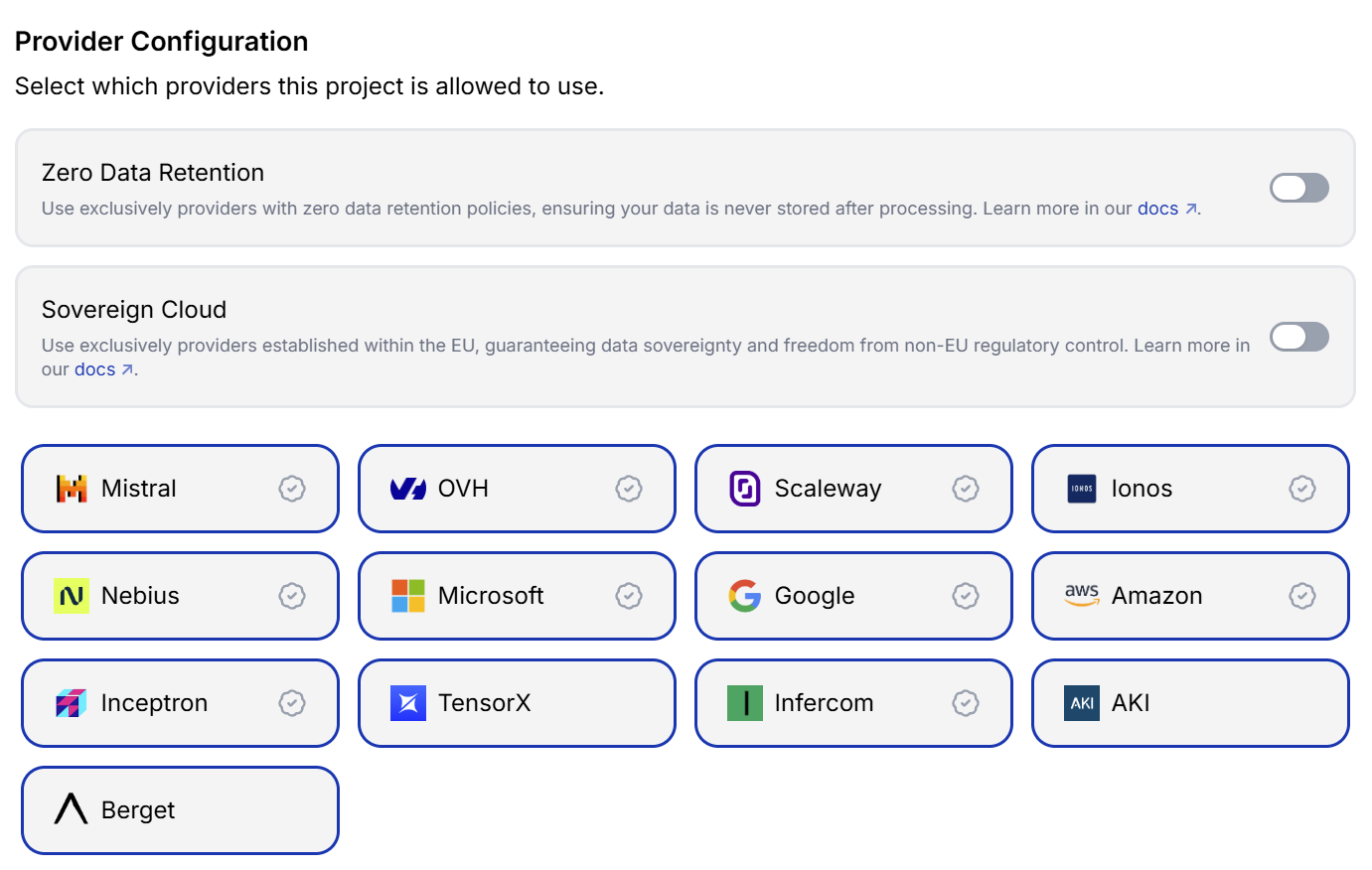
<figure><img src="https://2211217319-files.gitbook.io/~/files/v0/b/gitbook-x-prod.appspot.com/o/spaces%2FYGsEKyV2Zq4Q8fEJQT40%2Fuploads%2Fgit-blob-3ff72c4bdb2f32f60b3cbd169388d06aacfc1340%2Finference-provider-configuration.png?alt=media" alt="Provider Configuration with data policies and selectable inference providers"><figcaption><p>Restrict provider selection based on data requirements or select the providers that may process requests.</p></figcaption></figure>

| Setting                  | What it does                                                                                                                            | Considerations                                                                                                                           |
| ------------------------ | --------------------------------------------------------------------------------------------------------------------------------------- | ---------------------------------------------------------------------------------------------------------------------------------------- |
| **Zero Data Retention**  | Restricts requests to providers with zero data retention policies, so request data is not stored by the provider after processing.      | This can reduce the number of providers and models available for a request. Enable it when workloads require zero-retention processing.  |
| **Sovereign Cloud**      | Restricts requests to providers established within the EU to support data sovereignty and limit exposure to non-EU regulatory control.  | This can reduce the number of providers and models available for a request. Enable it when EU sovereignty requirements apply.            |
| **Individual providers** | Determines which providers the project is allowed to use. Select a provider to allow it or clear it to exclude it from request routing. | Limiting the provider list can affect model availability, speed, cost, and fallback options. Provider availability may change over time. |